
Open the plan list of almost any VPS provider and you will see two kinds of server that look alike on paper: the same number of vCPUs, the same RAM, the same disk, and a price that is far apart. The difference is rarely in the numbers on the card. It is in who else is using the processor your server runs on.
This guide explains shared CPU versus exclusive (dedicated) CPU VPS hosting in plain terms: what each one really is, how to spot the difference on a live server, which workloads belong on which, and how to decide without paying for more than you need.
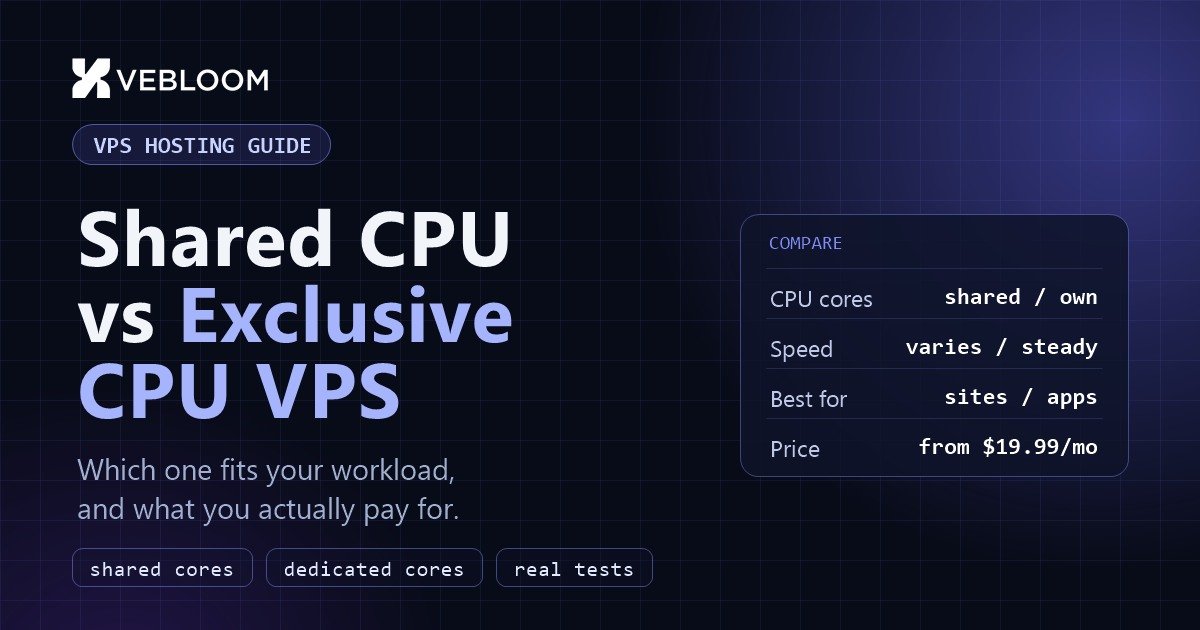
Quick answer: a shared CPU VPS is the right default for websites, small apps, development servers and anything that is idle much of the time. Choose an exclusive CPU VPS when your server works hard for long stretches, when response time must stay steady, or when you run databases, game servers, builds or other sustained jobs.
1. What "vCPU" Actually Means
A VPS is a slice of a much larger physical server. The slice gets a number of virtual CPUs (vCPUs), and each vCPU is a thread of a real processor core. Your server only ever sees its own vCPUs, but behind them sits a scheduler on the host that decides, many times a second, which virtual machine gets to run on which physical thread.
How that scheduler is configured is what separates the two plan types:
- Shared CPU: the host sells more vCPUs than it has physical threads, because most servers are idle most of the time. Your vCPUs take turns on cores that other servers use too.
- Exclusive CPU: the vCPUs of your server are reserved. No other customer's server is scheduled onto them, so the performance you measure today is the performance you get at 3 a.m. and on the busiest day of the year.
2. Shared CPU VPS: Cheap, Fast Enough, and Honest About Its Limits
Sharing is not a defect. It is the reason a small VPS can cost a fraction of a dedicated machine. For the large majority of workloads it is exactly the right choice, because most workloads are bursty: a page request needs a few milliseconds of CPU, then the server waits.
Where shared CPU works well
- Business websites, blogs and WordPress or WooCommerce stores with ordinary traffic.
- Small APIs, internal tools, dashboards and bots.
- Development, staging and test servers.
- VPNs, proxies, monitoring agents and lightweight mail relays.
- Learning, labs and anything that sits idle most of the day.
Where it starts to hurt
The limit shows up when your server wants a lot of CPU for a long time, at the same moment other servers on the host do. The host cannot give everyone everything, so some virtual machines wait. Two symptoms are typical: sustained work runs slower than the plan promised, and the speed of the same task changes from hour to hour. This is often called the noisy neighbour effect.
3. Exclusive CPU VPS: Reserved Cores, Predictable Speed
An exclusive CPU plan costs more because the host reserves that capacity for you whether you use it or not. What you buy is not raw speed, it is consistency: the CPU time you were promised is there when you ask for it.
Where exclusive CPU is worth it
- Databases (MySQL, PostgreSQL, MongoDB) that serve queries all day, where a slow moment is felt by every user.
- Game servers that must hold a steady tick rate, and trading or real-time tools where jitter is a bug.
- Build servers and CI, video encoding, data processing and any job that keeps the CPU near 100% for minutes or hours.
- Busy production apps and online stores where a slow checkout costs money.
- Anything with a performance promise to your own customers, such as an SLA or response-time target.
4. Side by Side
| Shared CPU | Exclusive CPU | |
|---|---|---|
| CPU time | Taken in turns with other servers | Reserved for your server |
| Speed over a day | Can vary with host load | Steady |
| Short bursts | Excellent | Excellent |
| Hours of full load | May slow down | Holds its speed |
| Price | Lowest | Higher, for the reserved capacity |
| Best for | Sites, small apps, dev and test | Databases, game servers, builds, busy production |
5. What the Difference Costs
The gap is real, so it is worth seeing it for the same size. These are Vebloom's monthly prices in a typical location. Every location page lists its own prices, and they stay the same at renewal.
| Size | Shared CPU | Exclusive CPU |
|---|---|---|
| 1 vCPU, 2 GB RAM | $19.99/mo | $39.99/mo |
| 2 vCPU, 4 GB RAM | $34.99/mo | $89.99/mo |
| 2 vCPU, 8 GB RAM | $49.99/mo | $114.99/mo |
| 4 vCPU, 8 GB RAM | $64.99/mo | $149.99/mo |
| 4 vCPU, 16 GB RAM | $89.99/mo | $199.99/mo |
| 8 vCPU, 16 GB RAM | $109.99/mo | $249.99/mo |
Do not read this as "exclusive is double the price for double the speed". A single short task runs about as fast on both. What you are paying for is that the speed does not drop under sustained load. If your server never runs hot, that insurance buys you nothing.
6. How to Tell Which One You Need: Four Quick Checks
You do not have to guess. Run these on a server you already have, or on a small test server during a busy period.
Check 1: watch CPU steal time
On a virtual machine, steal time is the share of time your vCPU was ready to run but the host gave the core to someone else. It is the most direct sign of sharing pressure.
top
# look at the "st" value in the CPU line, e.g.  %Cpu(s): 12.0 us, 3.0 sy, 0.0 ni, 82.0 id, 0.0 wa, 0.0 hi, 0.0 si, 3.0 st

vmstat 5 5
# the last column, "st", is steal time
A value near zero is healthy. If st is regularly several percent while your own load is high, you are being limited by the host and an exclusive plan will remove that ceiling.
Check 2: run the same benchmark at different times
sysbench cpu --threads=2 --time=30 runRun it in the morning, at noon and late evening and compare the "events per second". On a steady server the results land within a few percent of each other. Large swings point to contention.
Check 3: look at your real load
Check uptime or your monitoring graph. Divide the load average by the number of vCPUs. If it sits well under 1 per vCPU most of the day, shared CPU is plenty. If it hugs or exceeds 1 for long periods, you are CPU-bound and need either more cores or reserved ones.
Check 4: measure what users feel
curl -o /dev/null -s -w "TTFB: %{time_starttransfer}s Total: %{time_total}s\n" https://example.com/Repeat it through the day. If the time to first byte keeps jumping while traffic is flat, the server is not getting steady CPU. If it is stable, upgrading the plan will not make your site faster, and the slowness is in your code, database or network instead.
7. Matching the Plan to the Workload
| Workload | Start with | Why |
|---|---|---|
| Company site, blog, portfolio | Shared CPU | Short bursts, mostly idle |
| WordPress or WooCommerce, normal traffic | Shared CPU | Caching keeps CPU use low |
| Busy online store, sales events | Exclusive CPU | Checkout speed must not dip at peak |
| MySQL or PostgreSQL serving an app | Exclusive CPU | Constant queries, latency-sensitive |
| Minecraft, Rust or other game server | Exclusive CPU | Steady tick rate, no lag spikes |
| CI, builds, video encoding | Exclusive CPU | Hours at full load |
| Development, staging, testing | Shared CPU | Used in bursts |
| VPN, proxy, bots, monitoring | Shared CPU | Light, steady trickle |
8. You Can Mix Them
A common and sensible setup is to run the front of the application on shared CPU and put only the part that needs it on exclusive CPU. A WordPress site on a shared plan with its database on a separate exclusive server is a good example. Keep the two servers in the same location so the traffic between them stays fast: see our guide on how to choose the right VPS location.
9. Common Mistakes
- Buying exclusive CPU "just in case" for a site that uses a few percent of one core.
- Staying on shared CPU after your database or game server has become the bottleneck.
- Judging a plan by a single benchmark run instead of watching it across a day.
- Adding RAM when the real limit is CPU, or the other way round. Check
topbefore you upgrade. - Forgetting that a faster server cannot fix a slow query or an uncached page.
10. Choosing at Vebloom
On every VPS location page that offers both, the plans are split into Shared CPU and Exclusive CPU tabs, with the same sizes on each so you can compare directly. Both run on KVM virtualization with NVMe storage, full root access and a dedicated IPv4 address. Exclusive plans are named "VPS EX", for example VPS EX 4C-8G, and your invoice and service name say which type you bought.
- Browse all VPS locations and plans.
- Example locations: Germany, UAE, Singapore and Pakistan.
- Not every location sells both types. Where only one is offered, the page shows just that one.
Not sure which side of the line you are on? Start on shared CPU, watch steal time and load for a week, and move up when the numbers tell you to. You can order a new server in the same location and copy your data across when the time comes.
Frequently Asked Questions
What is the difference between shared CPU and exclusive CPU VPS?
On a shared CPU VPS your vCPUs take turns on processor cores that other servers on the same host also use. On an exclusive (dedicated) CPU VPS the vCPUs are reserved for your server, so your speed does not depend on what your neighbours are doing.
Is an exclusive CPU VPS faster than a shared one?
For a short burst of work they run at about the same speed. The difference appears under sustained load: an exclusive CPU keeps its speed for hours, while a shared CPU can slow down when the host is busy. You are paying for consistency, not for a faster processor.
How do I know if my VPS is being limited by shared CPU?
Watch CPU steal time. Run top or vmstat and look at the st value while your server is busy. If it is regularly several percent, the host is giving your CPU time to other servers. Benchmarks that vary a lot between morning and evening point the same way.
Is shared CPU good enough for a WordPress or WooCommerce site?
Yes, for most sites. Page requests are short bursts, and with caching the CPU is idle most of the time. Move a store to exclusive CPU when checkout speed must stay steady during traffic peaks, or put its database on an exclusive server.
Which is better for a game server or a database?
Exclusive CPU. Game servers need a steady tick rate and databases serve queries all day, so both suffer from the speed changes that sharing can cause.
Can I upgrade from shared to exclusive CPU later?
A VPS is created as one type in one data center, so moving means ordering a server of the other type in the same location, copying your files and databases across, and switching your domain or IP. It is straightforward, and starting on shared CPU while you measure is a sensible way to begin.
Does Vebloom offer both types in every location?
Most locations offer both, shown as Shared CPU and Exclusive CPU tabs on the plan list. A few locations sell only one type, and the page shows only what is available there.
What does CPU steal time mean on a VPS?
Steal time is the share of time your virtual CPU was ready to run but the host gave the physical core to another virtual machine. You see it as the st value in top or vmstat. Near zero is healthy; several percent while your own load is high means the host is limiting you.
What is the noisy neighbour problem?
It is when another server on the same host uses a lot of CPU, disk or network and your server slows down as a result. It mostly affects shared CPU plans under sustained load. Exclusive CPU plans reserve the cores, which removes the CPU part of the problem.
Do I need exclusive CPU for a small business website?
Usually no. A company site, blog or portfolio uses a few percent of one core and runs perfectly on shared CPU. Only move up if you measure sustained high CPU use or your response times keep jumping during busy hours.
How many vCPUs do I need?
Divide your load average by the number of vCPUs. If it stays well under 1 per vCPU most of the day you have enough. If it sits at or above 1 for long periods you are CPU-bound and need more cores, reserved cores, or both.
Is a dedicated vCPU the same as a dedicated server?
No. A dedicated vCPU means the virtual cores of your VPS are reserved for you, but the physical machine still hosts other customers' servers. A dedicated server gives you the whole physical machine, including its disk, network port and every core.
Does exclusive CPU also mean faster disk and network?
Not by itself. Exclusive CPU only changes how processor time is shared. Disk and network performance depend on the storage and the data center. Vebloom VPS plans of both types use NVMe storage.
Will exclusive CPU make my WordPress site load faster?
Only if the CPU was the bottleneck. If your pages are slow because of heavy plugins, large images or no caching, a faster CPU will not fix that. Measure time to first byte at different times of day first; if it is stable, optimise the site rather than upgrading the plan.
Can I run a game server on a shared CPU VPS?
Small, casual servers with a few players often run fine. Larger or busier servers need a steady tick rate, and the speed variation of a shared CPU can show up as lag spikes, so an exclusive CPU plan is the safer choice.
Need help choosing? Tell us what you are running and how busy it gets, and our team will suggest a plan. Contact Vebloom or compare VPS plans.
Vebloom is a digital agency and hosting provider based in Lahore, Pakistan, offering web hosting, KVM VPS in 47 locations, domains, web development and digital marketing.